All work

Founder's Salon Studio · 2026

Running a salon from another city

A family-run salon in Pilimathalawa, Kandy, managed from Colombo. I designed and built the system that runs it: online booking for customers, an iPad app for the stylists at the chair, and a dashboard on the owner's phone. It has been running the business since June 2026.

Role
Product designer and builder
Platforms
Web, iPad, phone
Status
Live at founderssalon.lk
Built with
React, Node, Supabase, AI-assisted
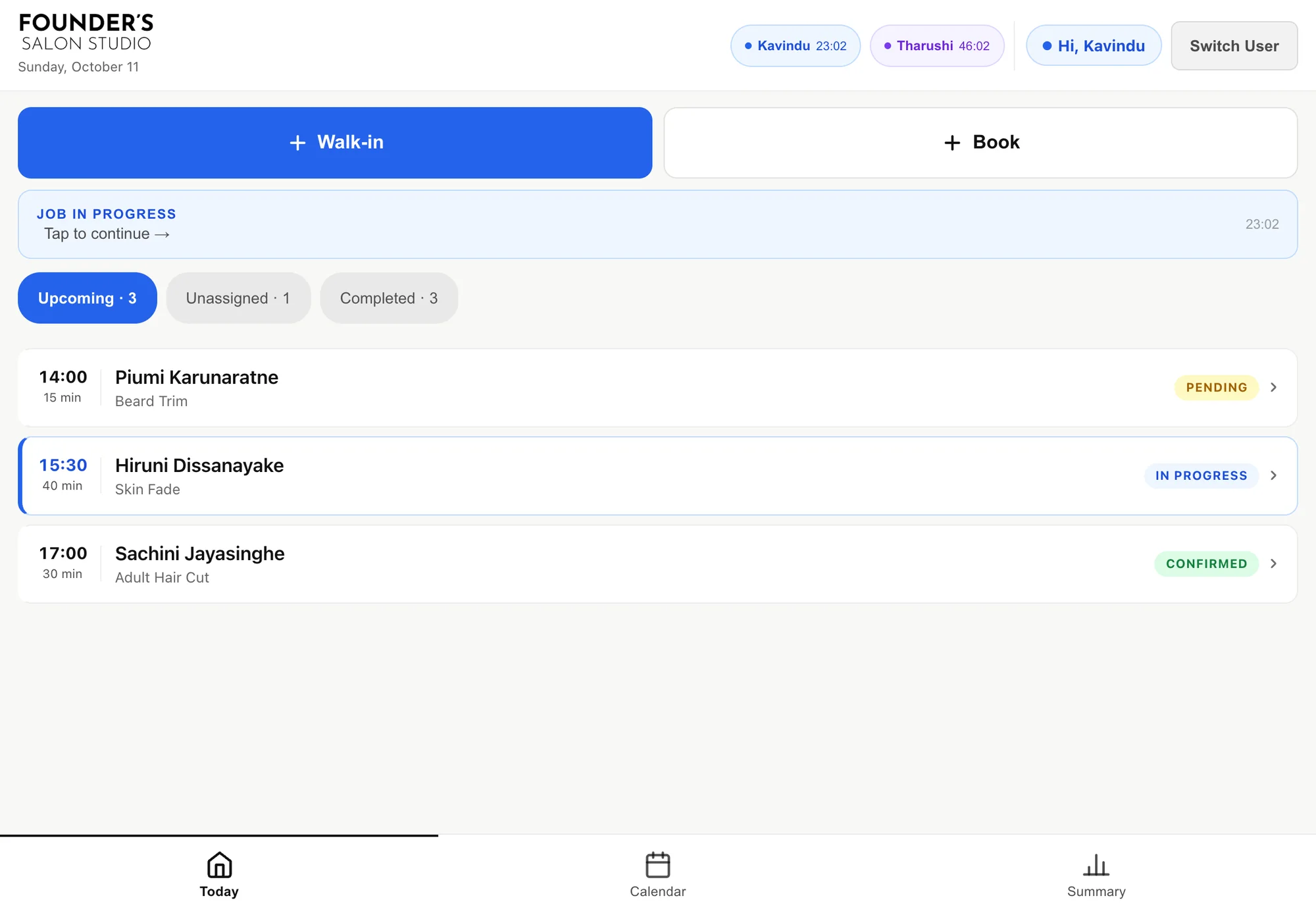
The studio app on the salon's iPad: today's appointments, with Walk-in and Book buttons and a job in progress

01The problem

The salon is in Kandy. The people who run it are in Colombo. They needed to know what was happening at the chair without phoning to ask.

Three groups of people needed three different things. Customers wanted to book without calling. The stylists needed something fast enough to use between clients, on one shared iPad. The owner needed to see the day, the money and the bookings from another city.

Off-the-shelf salon software answers these with one large product that everyone has to learn. Because this is our family's business, I could sit with the people using it and design each of them only the screen they need, all fed by the same data.

02The platform

One system, three screens

  • Customer booking

    Phone

    A public site and a four-step booking flow. No account, no app to install.

  • Studio app

    iPad

    What the stylists use all day: appointments, walk-ins, the job in the chair and the bill.

  • Owner dashboard

    Phone and desktop

    Bookings to confirm, the calendar, sales, stylists and customers, from anywhere.

  • All three are one codebase and one deployment, reading and writing the same data, so a booking made on a phone is on the iPad a moment later.
  • Text messages carry what happens between screens: a confirmation to the customer, and a summary of the day to the owner every evening at 8 pm.

03User journey

One booking, start to finish

The same appointment passes through all three screens. Each person only ever sees their own part of it.

  1. 01

    A customer books

    They pick services, a stylist or anyone available, then a date and a free slot.

    WhereCustomer, on a phone

  2. 02

    The salon confirms

    The request waits in a queue. One tap confirms it and sends the customer a text.

    WhereOwner, on a phone

  3. 03

    The job starts

    When the customer sits down, the stylist starts the job and a timer begins.

    WhereStylist, on the iPad

  4. 04

    Services are added

    Anything extra is added at the chair, and the total updates as it goes.

    WhereStylist, on the iPad

  5. 05

    The job is completed

    One button closes the bill. The price can be adjusted first if it needs to be.

    WhereStylist, on the iPad

  6. 06

    The day is summed up

    At 8 pm a text arrives with customers served and revenue earned.

    WhereAutomatic, by text

04Design decisions

Decisions made at the chair

Most of the design came from how a salon really runs, which is not how booking software assumes it runs.

01

Walk-ins are not an exception

Booking systems are built around appointments. A neighbourhood salon is built around people walking in. If a walk-in takes longer to enter than a booking, the stylists will stop entering them and the numbers will be wrong.

How it works

  • Walk-in comes firstIt is the largest button on the home screen, ahead of Book.
  • Bundles before single servicesThe most common combinations are offered first, so a typical walk-in is two taps.
  • No customer details needed to startThe job starts straight away; details can be captured when it is completed.
  • On the calendar tooA walk-in in progress appears on the owner's calendar like any booking.
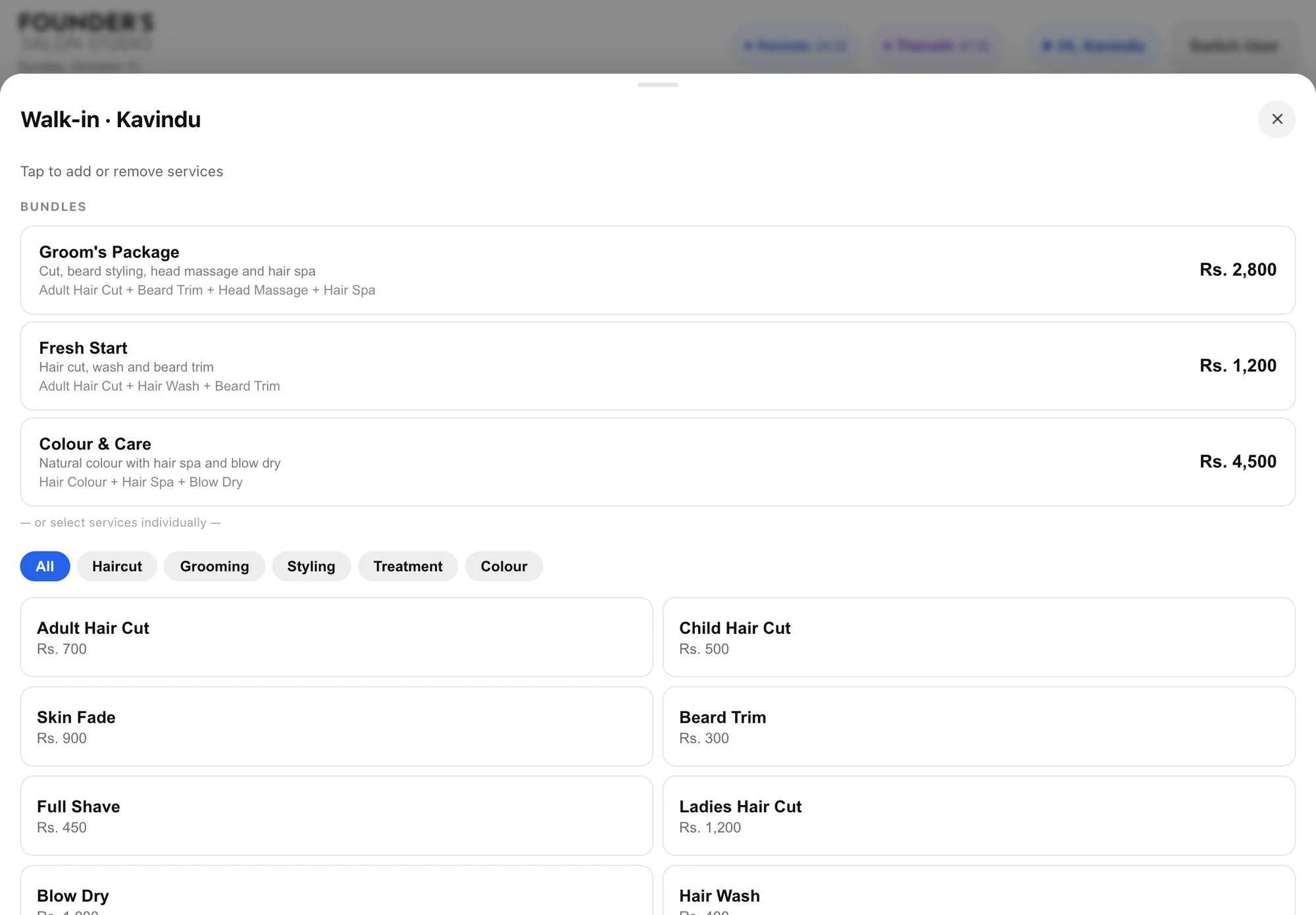
The walk-in sheet: bundles at the top, then services filtered by category
02

The bill is built during the job

Customers change their minds in the chair: a beard trim gets added to a haircut, a wash to a colour. The bill has to follow the job, not be fixed when it was booked.

How it works

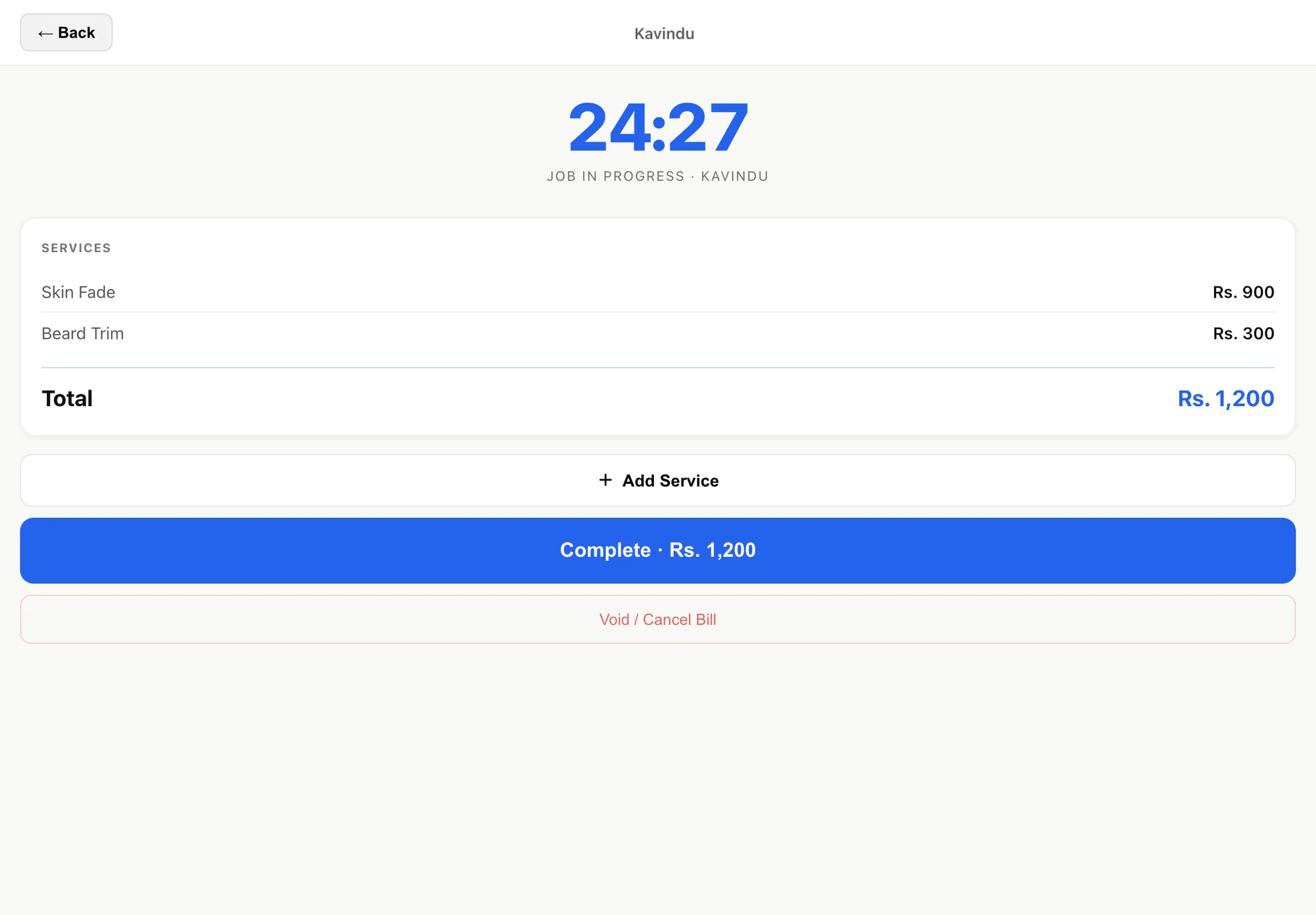
  • A live job screenA timer, the services so far and a running total, with nothing else on it.
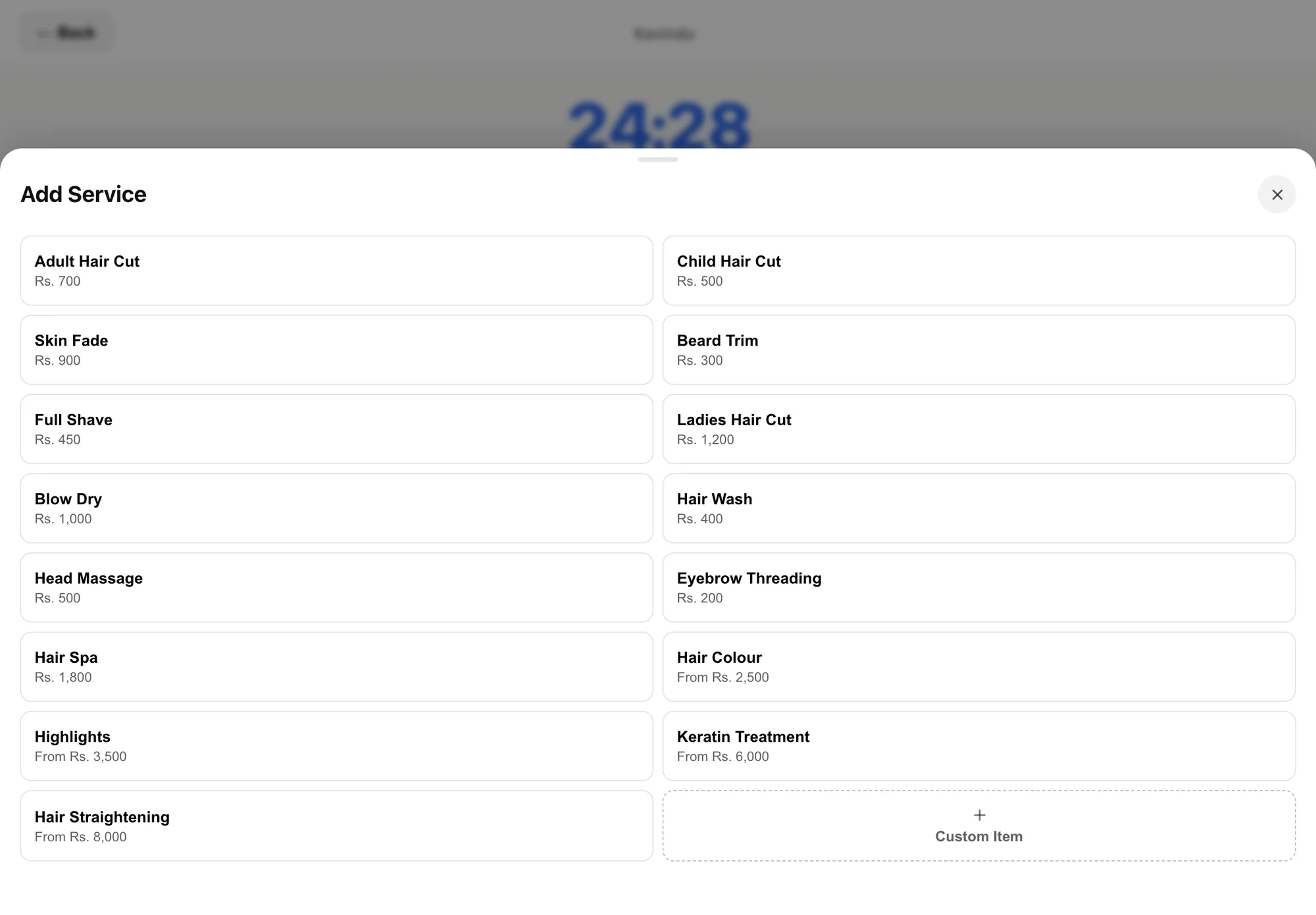
  • Add a service in one tapThe full menu opens as a sheet over the job; variants show a starting price.
  • Custom items and price changesA one-off item can be typed in, and the final price can be adjusted at completion.
  • Void, not deleteA wrong bill is voided with a reason, so the record of what happened is kept.
The active job screen: a timer, two services, the total, and Add Service, Complete and Void buttons
03

One iPad, several stylists

The salon has one iPad and more than one person using it, usually with product on their hands. Signing in and out for every action would never happen.

How it works

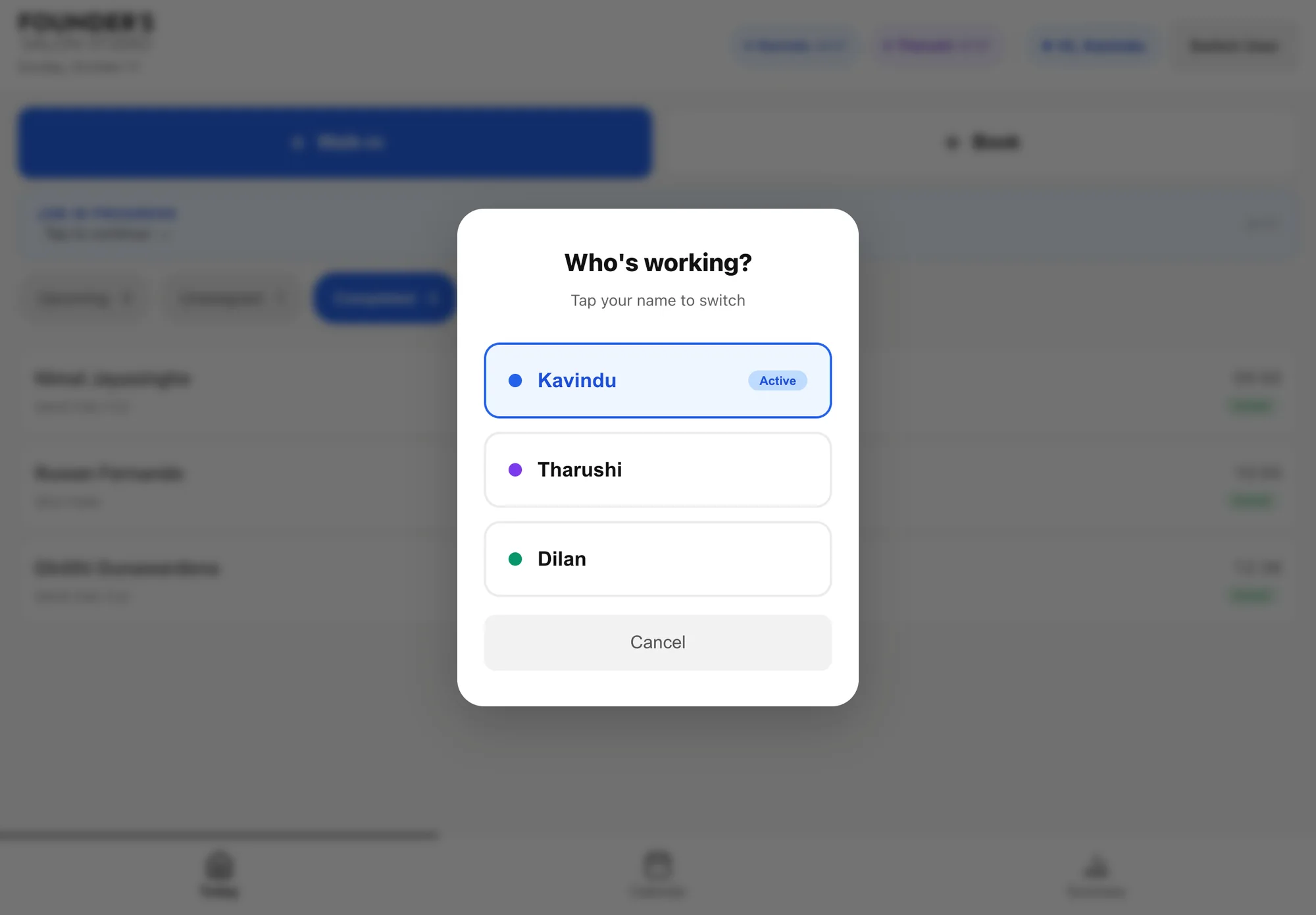
  • Tap your name to switchA single question, Who's working?, with each stylist as one large button.
  • A colour for each stylistThe same colour marks their jobs in the studio app and on the owner's calendar.
  • Everyone's timer in the headerWhoever picks up the iPad can see who is busy and for how long.
The Who's working? dialog listing three stylists, each with their own colour
04

The owner should not have to ask

Running a business remotely fails when the owner has to chase information. Whatever they would otherwise phone the salon about should already be on their phone.

How it works

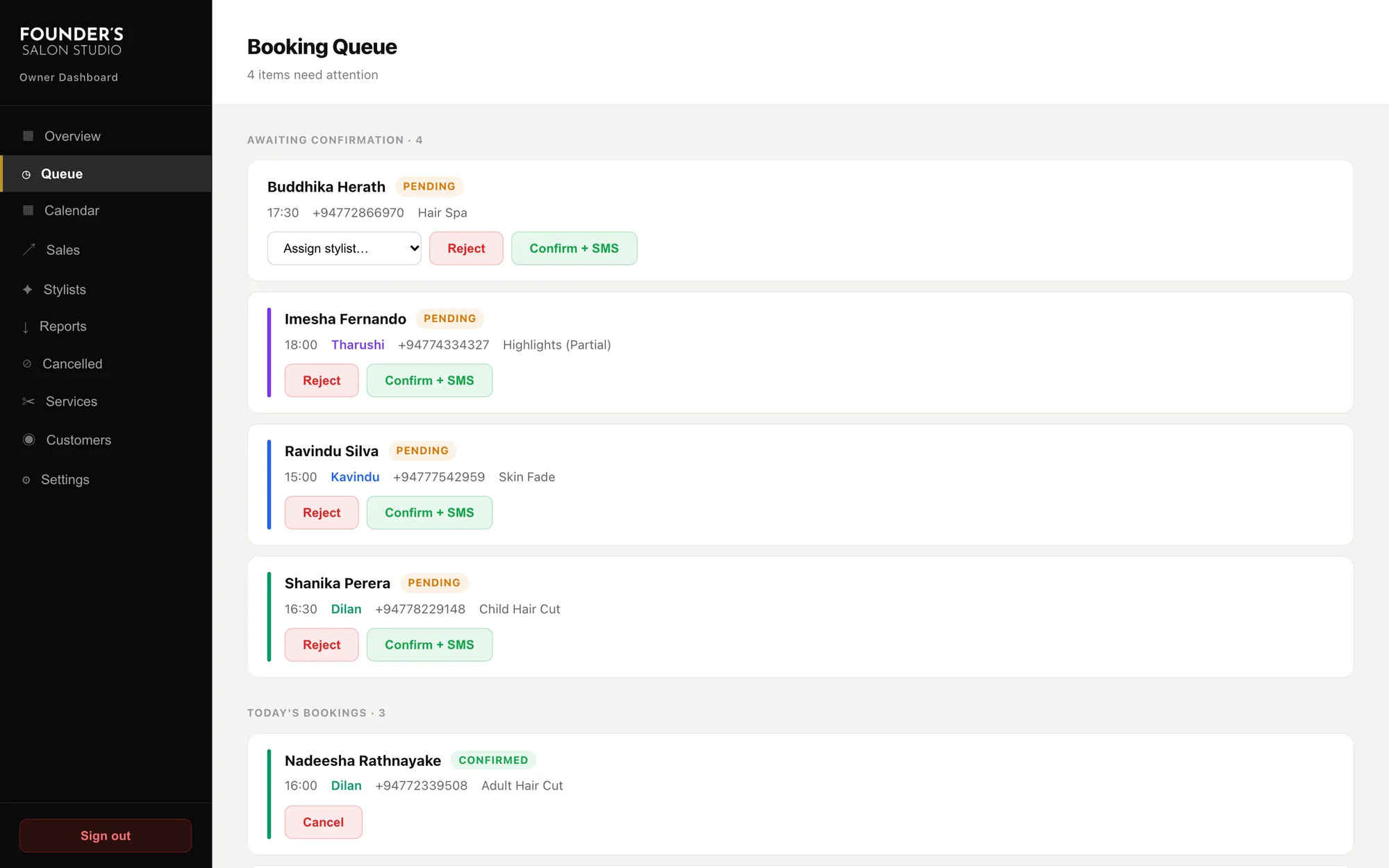
  • A queue of things to decideBookings awaiting confirmation come first, each with Confirm and Reject.
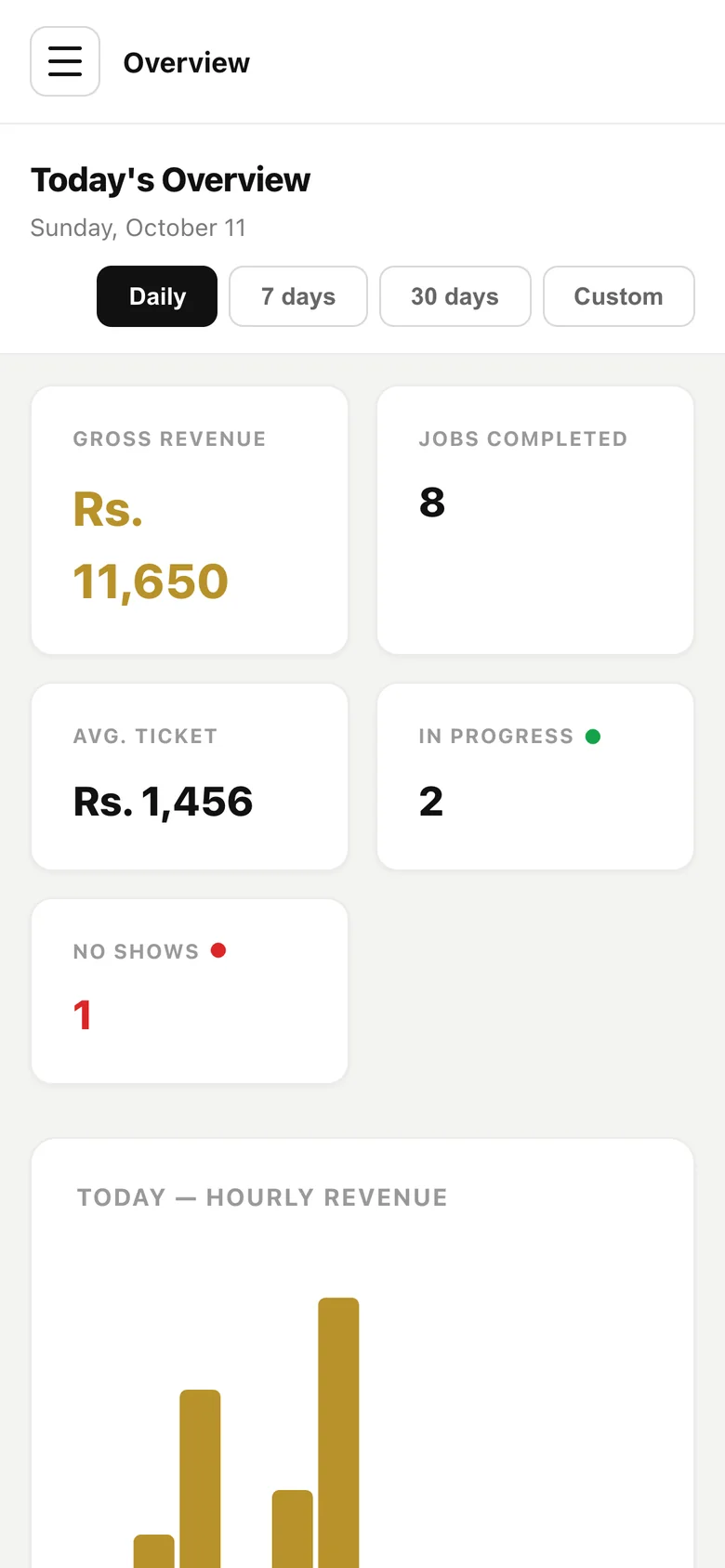
  • The day at a glanceRevenue, jobs completed, average ticket, jobs in progress and no-shows.
  • A text at 8 pmCustomers served and revenue earned, sent automatically, whether or not the dashboard is opened.
  • A slot can only be booked onceThe system refuses a second booking for a slot that is already taken.
The owner's booking queue: pending bookings with Confirm and SMS and Reject buttons

05The work

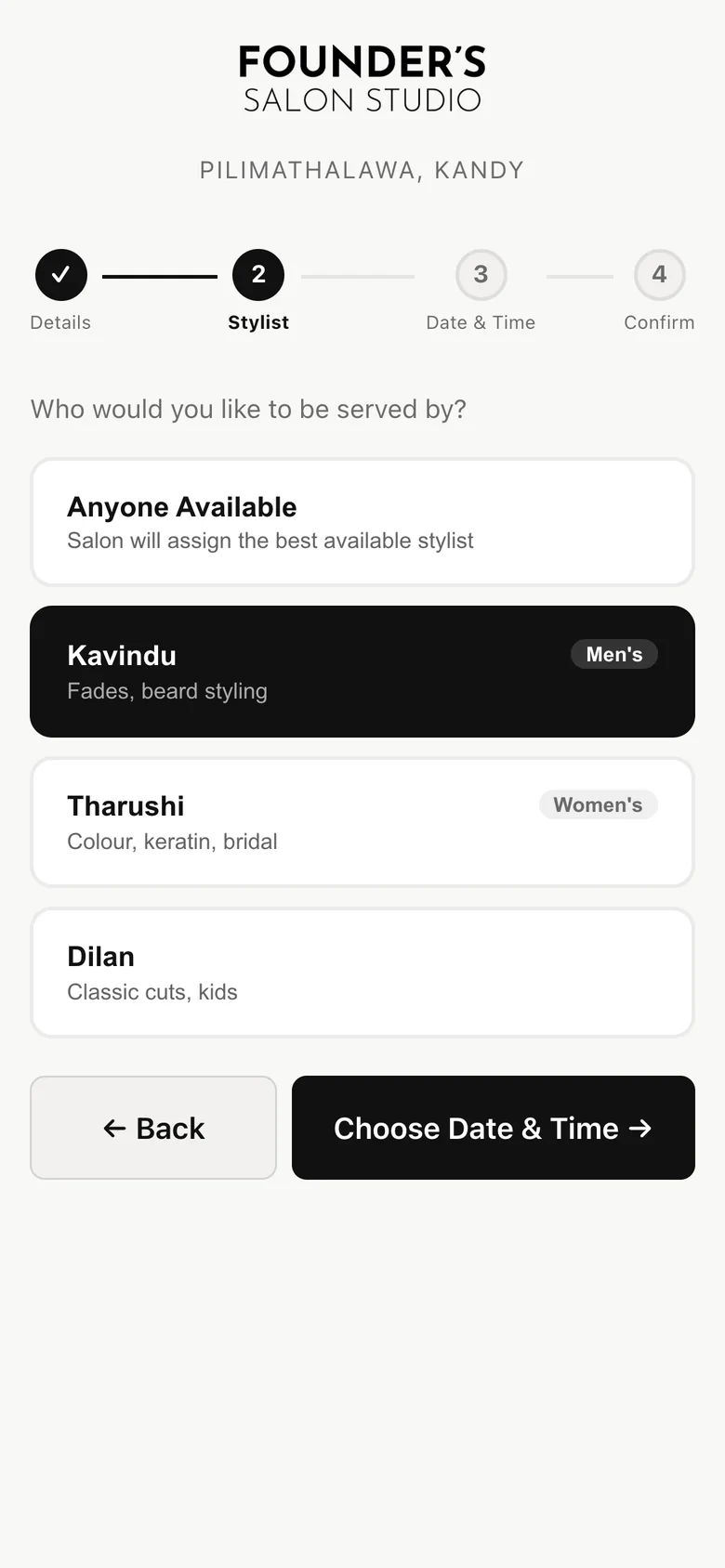
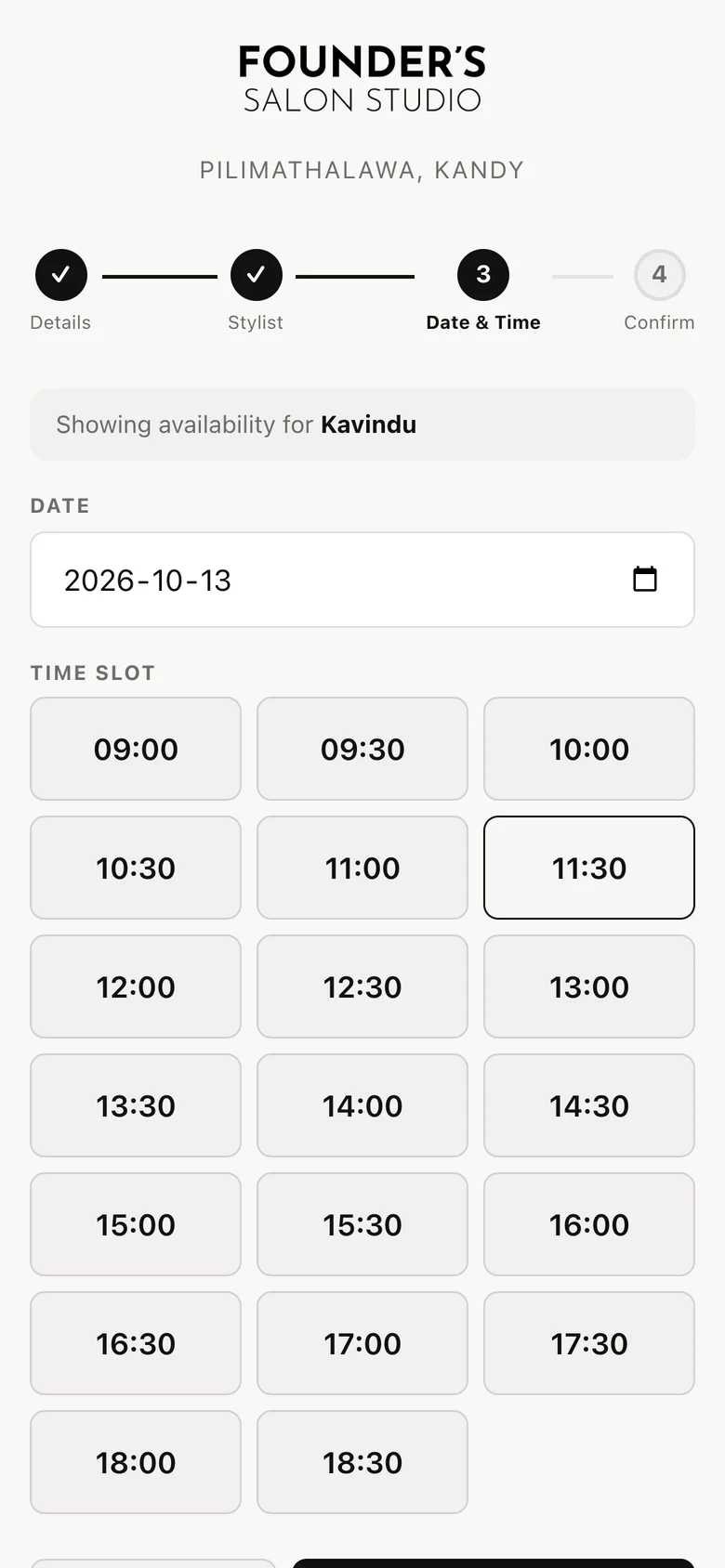
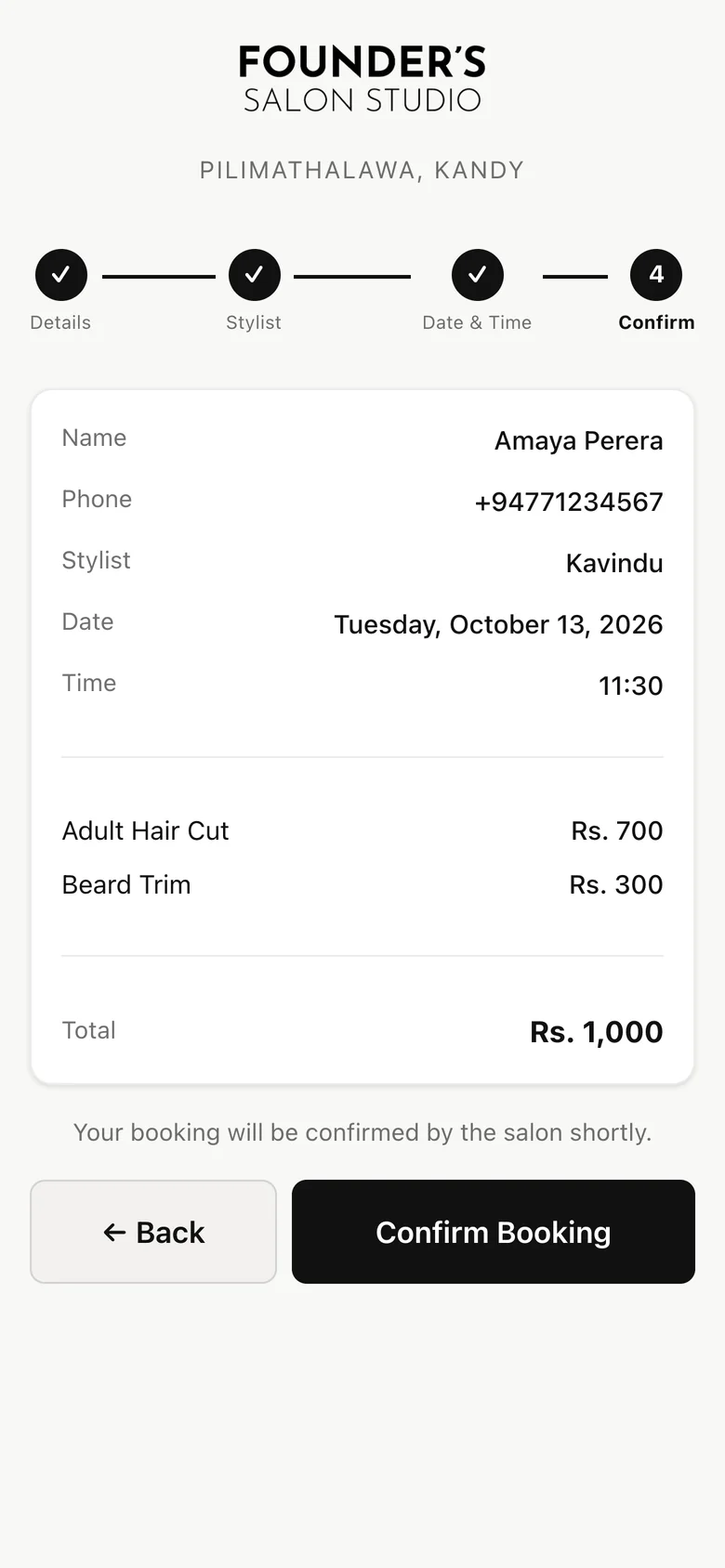
Booking, on a phone

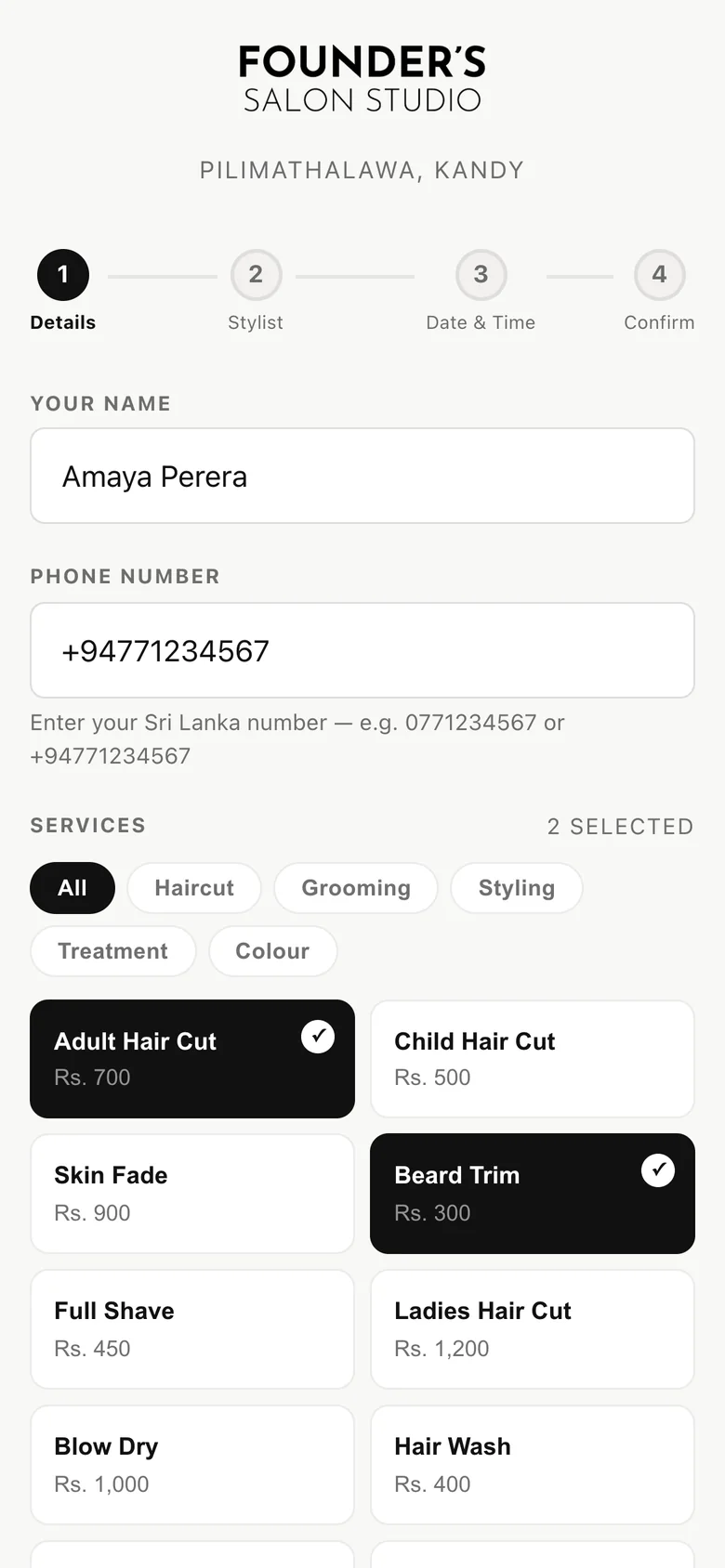
Four steps: details and services, stylist, date and time, confirm. Shown with demo data.

  1. Booking step 1: name, phone number and services, with two services selected

    01Details and services

  2. Booking step 2: choose a stylist or anyone available

    02Stylist

  3. Booking step 3: a date and a grid of free time slots

    03Date and time

  4. Booking step 4: a summary of the booking with the total

    04Confirm

06The work

The studio app, on the salon iPad

Everything a stylist does in a day, on one device. Shown with demo data.

The Add Service sheet over an active job
Adding a service to a job in progress
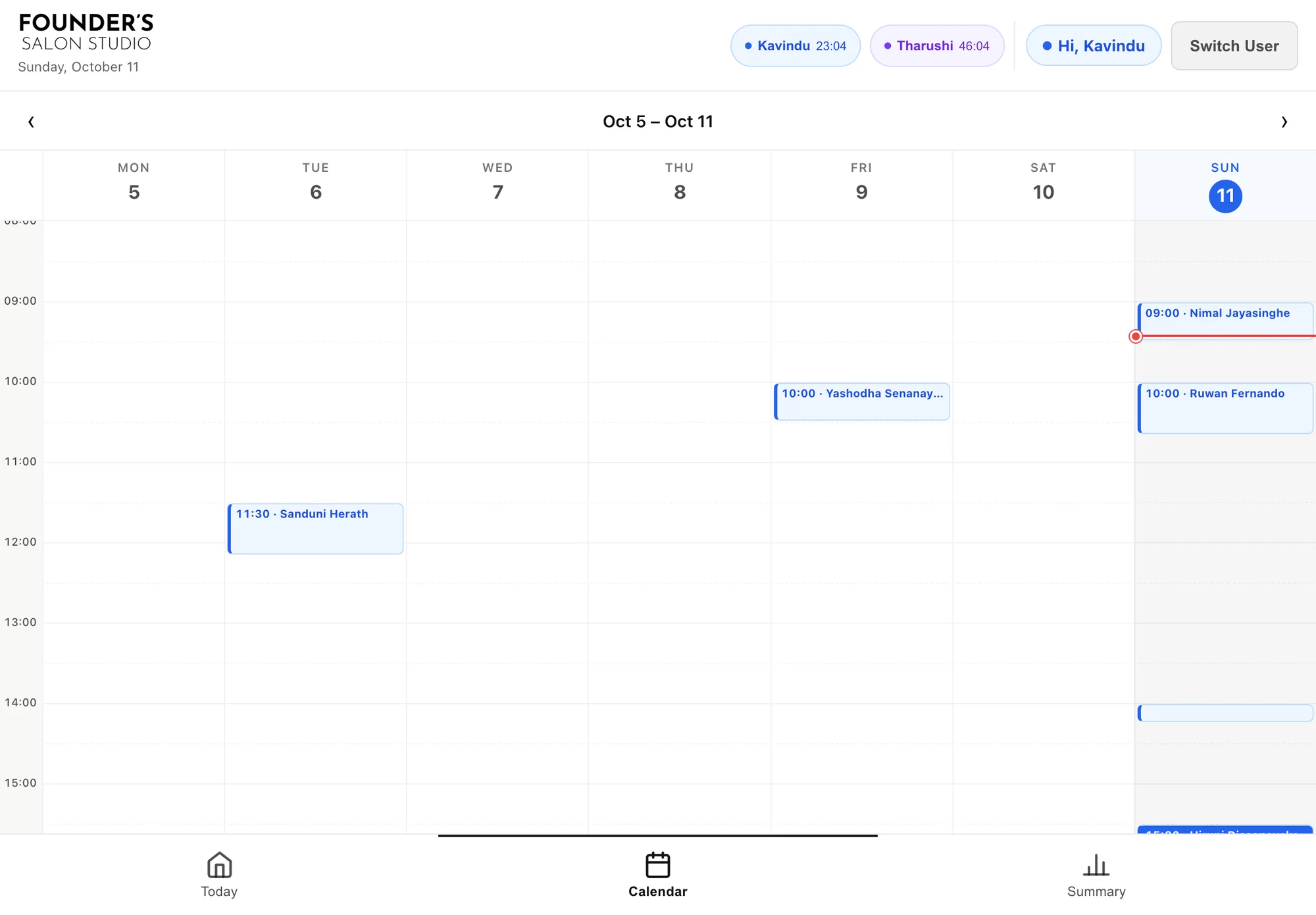
The studio app's weekly calendar
The week
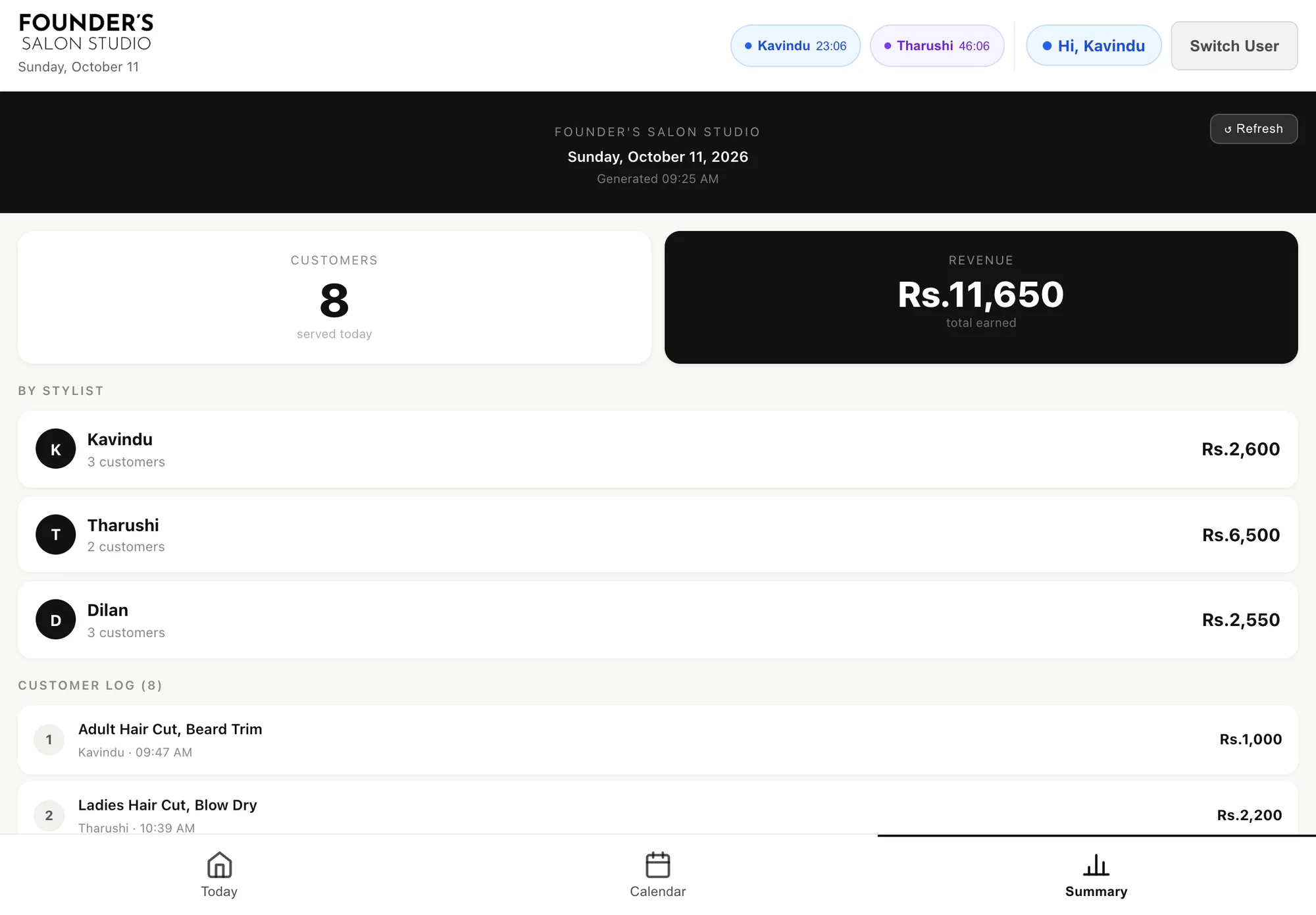
The end-of-day summary: customers served, revenue, by stylist and a customer log
The end-of-day summary

07The work

The owner dashboard

On a desktop here; the same views reflow for a phone. All figures are demo data.

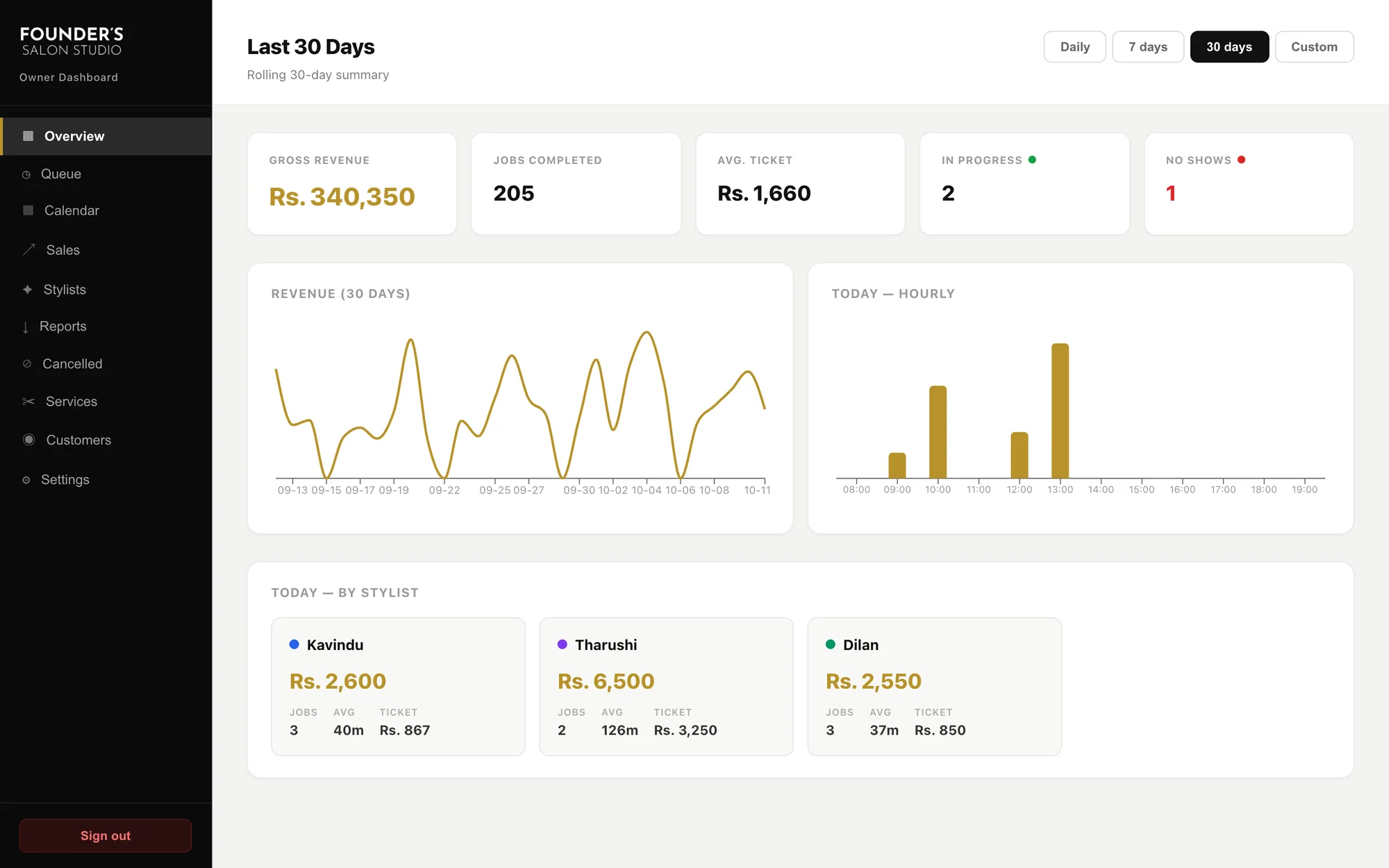
Owner overview for the last 30 days: revenue, jobs, average ticket, charts and a breakdown by stylist
Overview, last 30 days
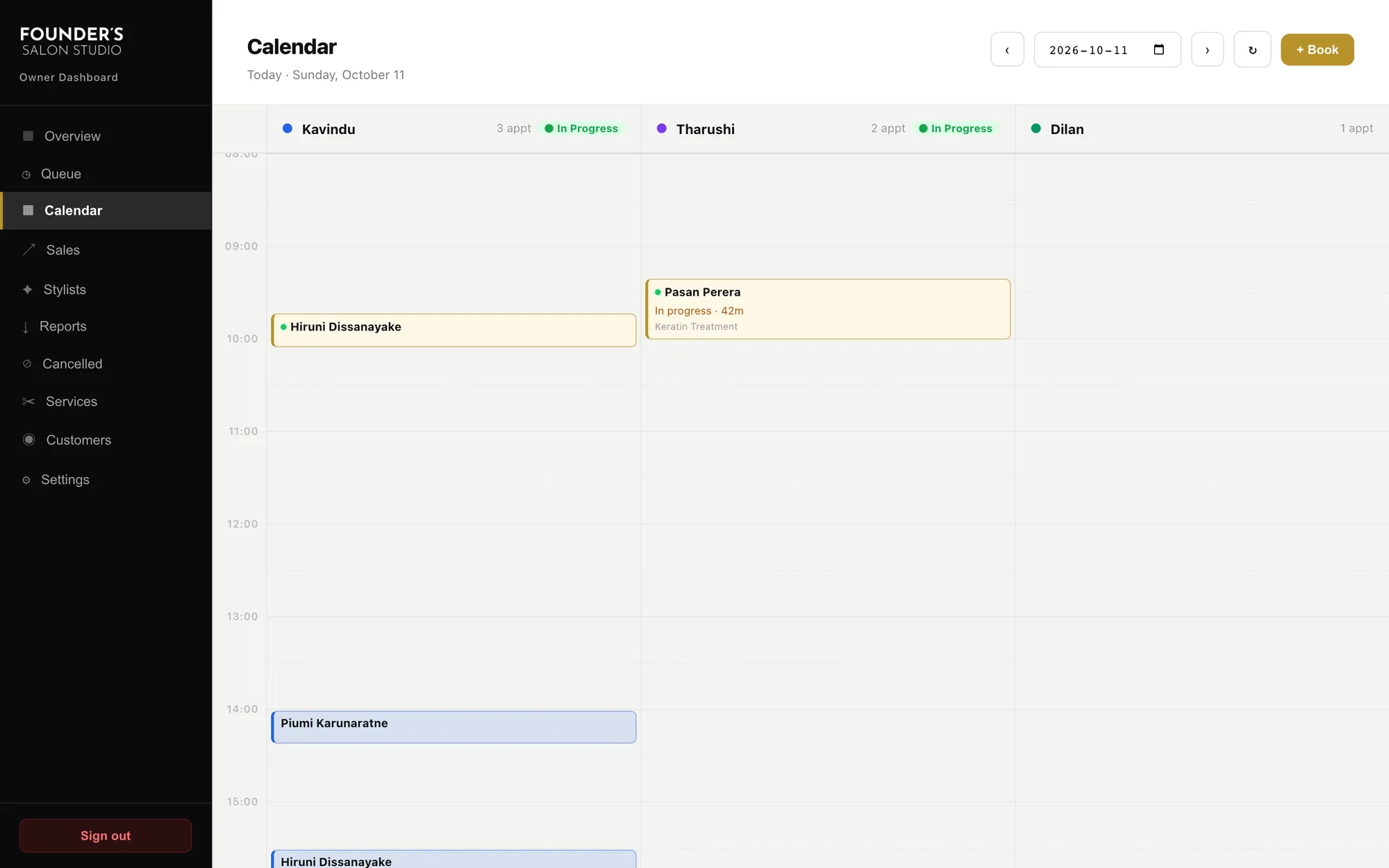
The owner calendar with one column per stylist and jobs in progress
Calendar, one column per stylist
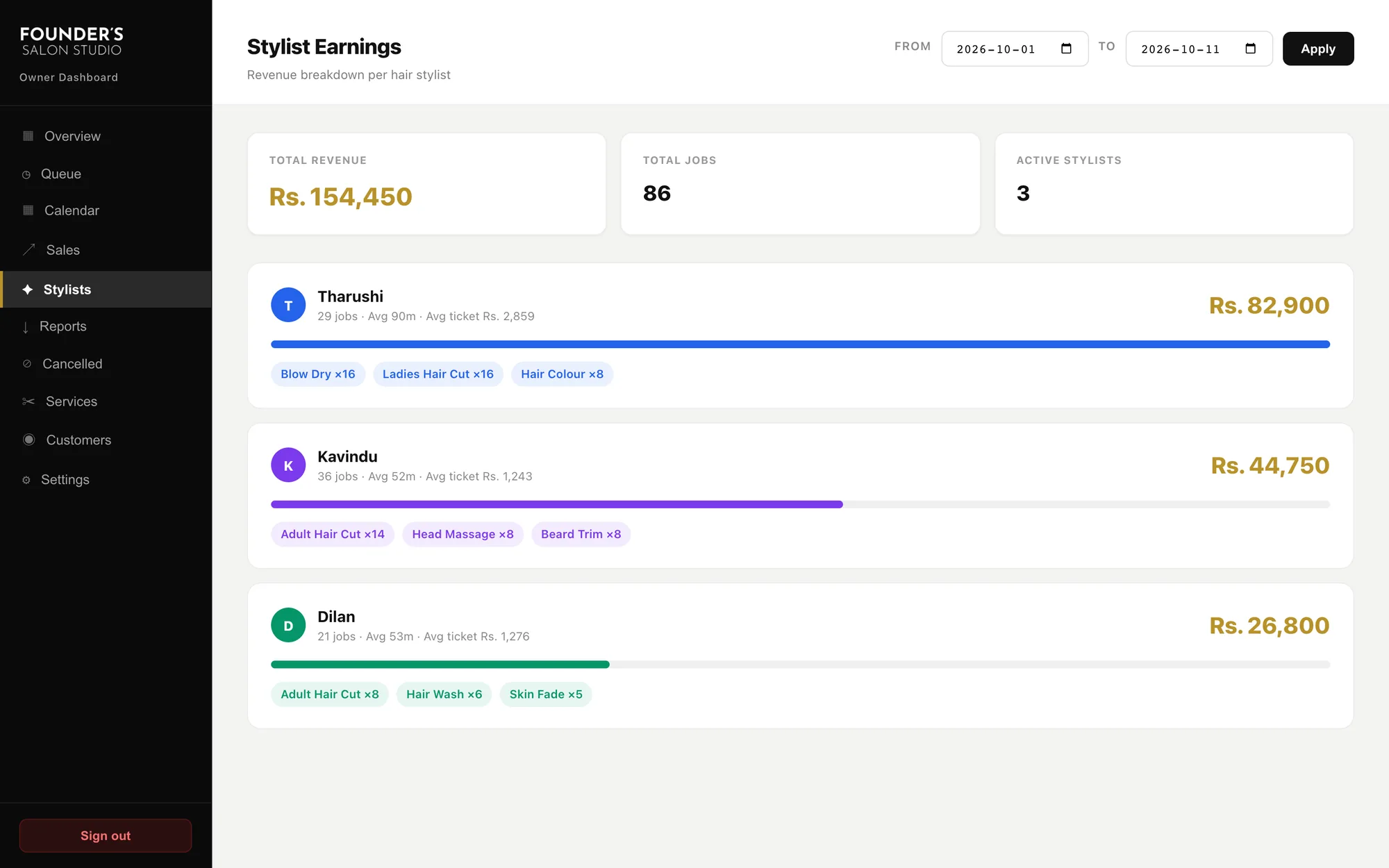
Stylist earnings with revenue, jobs and top services for each stylist
Stylist earnings
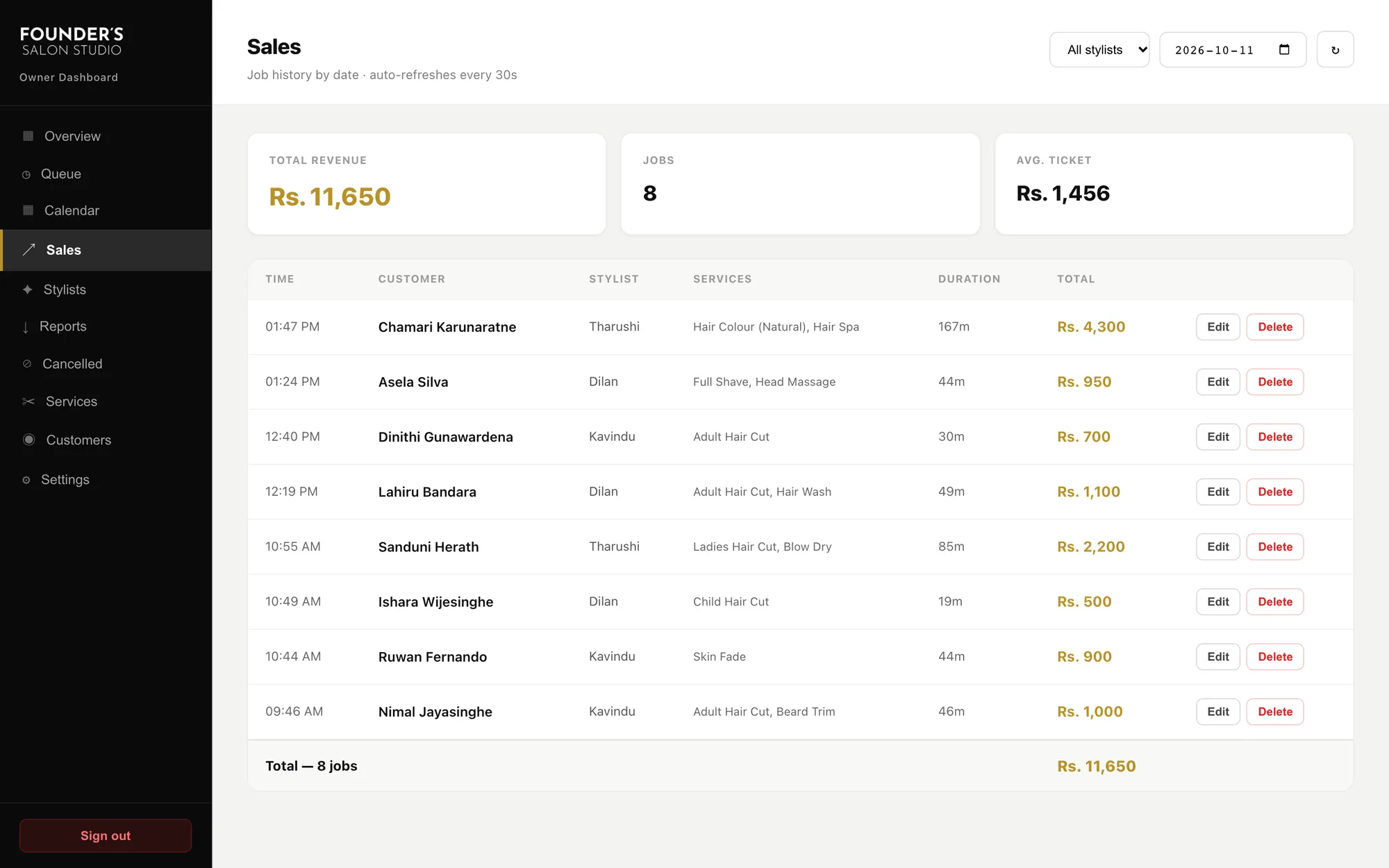
The sales table for a day with edit and delete actions
Sales for the day
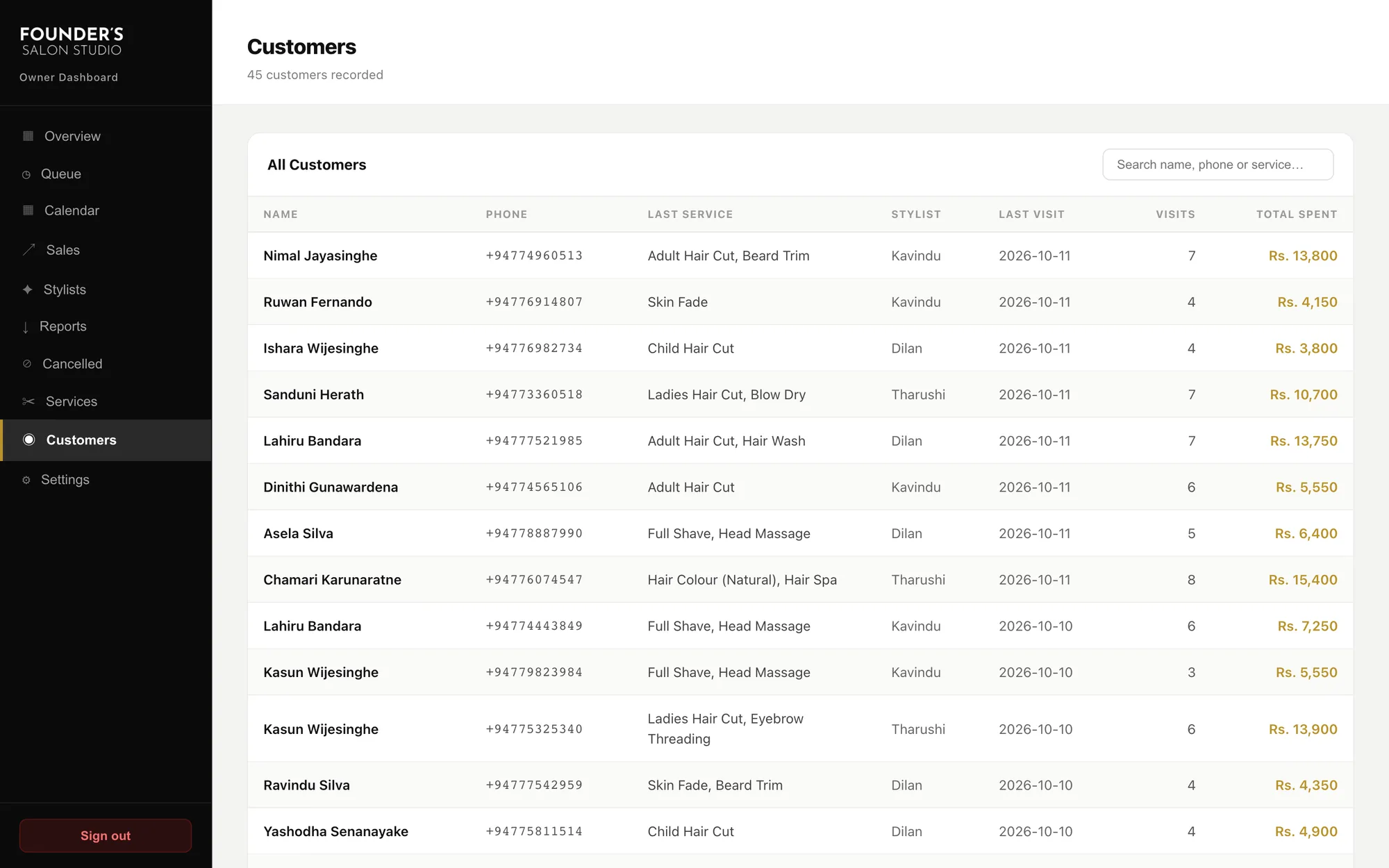
The customers table with last service, visits and total spent
Customers
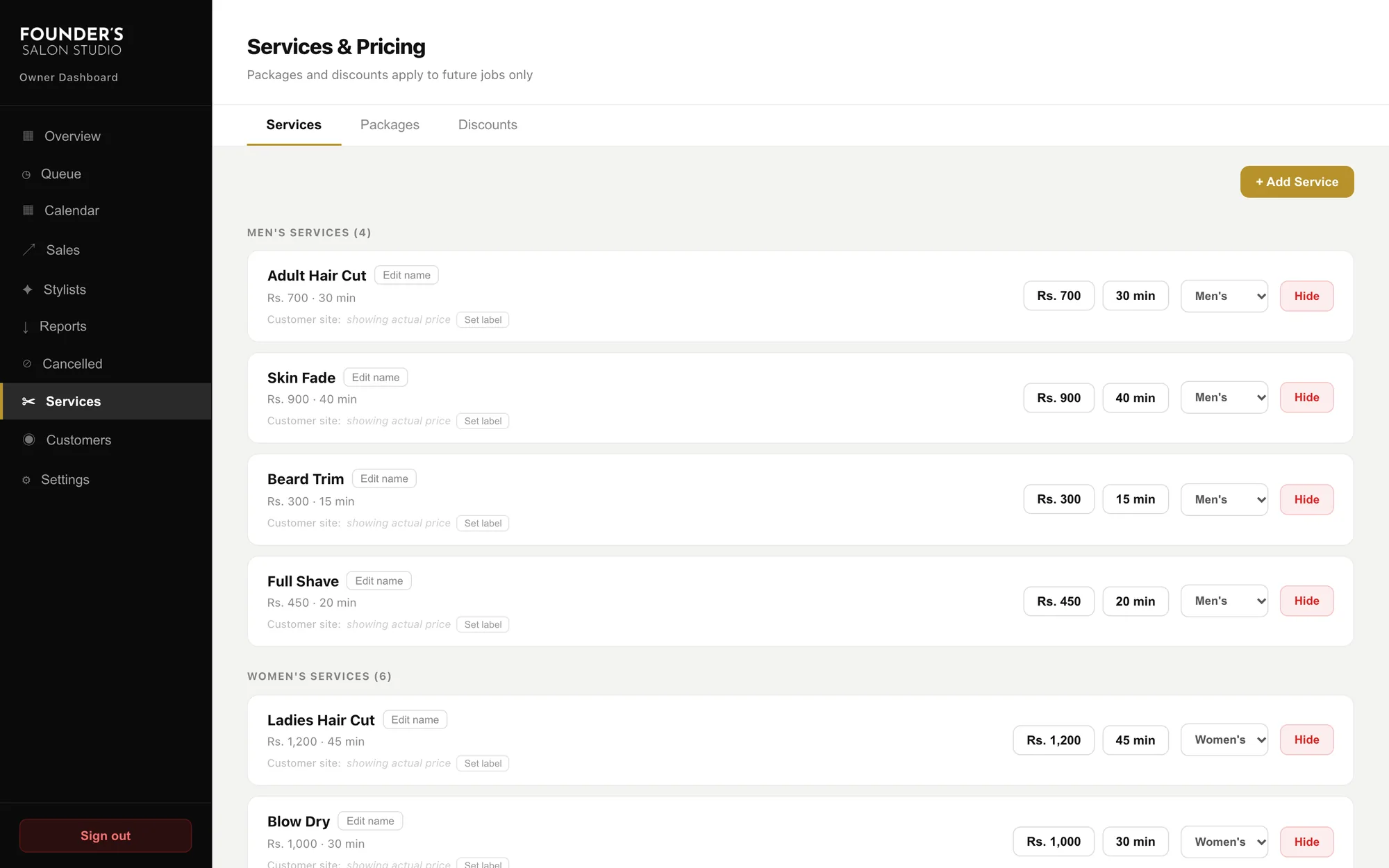
Services and pricing, grouped into men's and women's services
Services and pricing

08The work

In the owner's pocket

  1. The owner dashboard on a phone: today's overview

    01Today

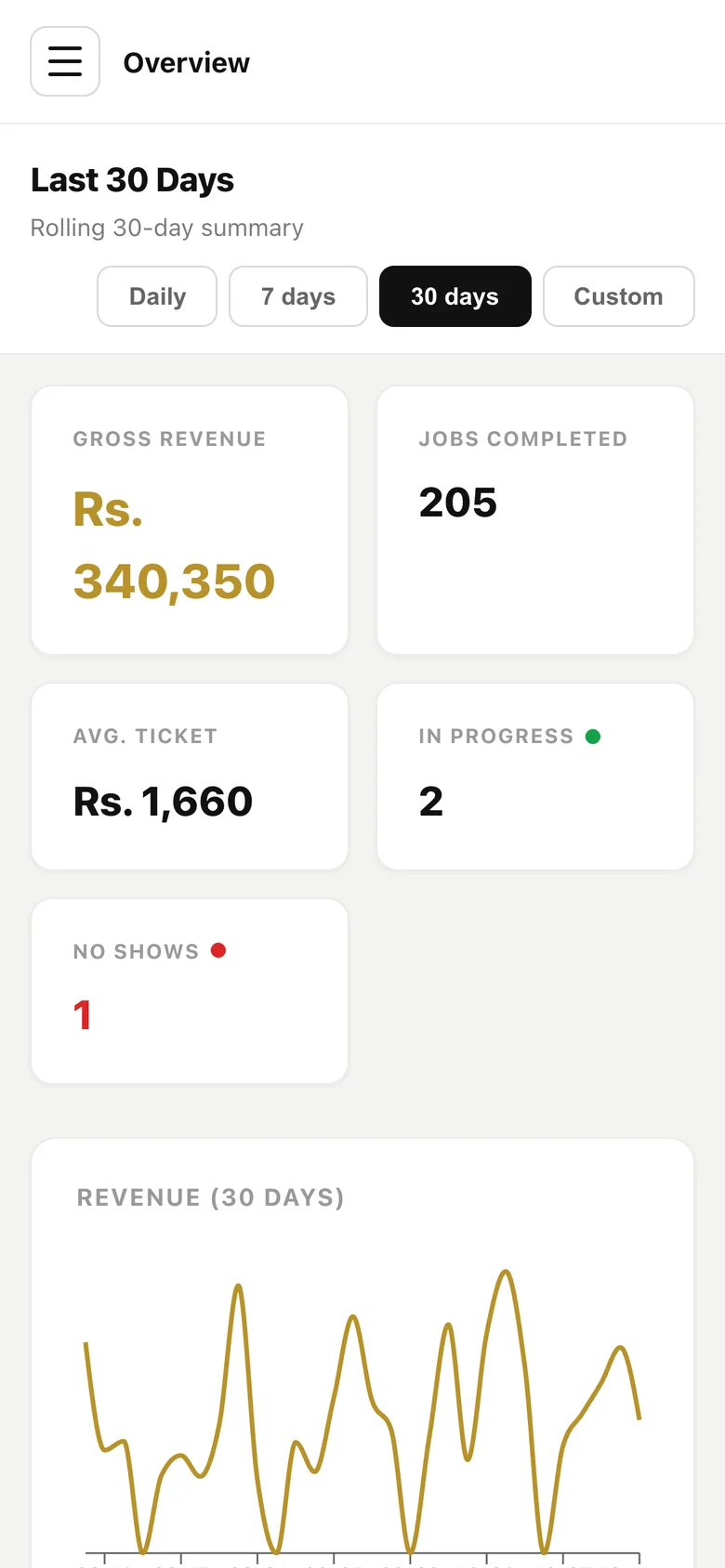
  2. The owner dashboard on a phone: the last 30 days

    02Last 30 days

  3. The booking flow's first step on a phone

    03Booking

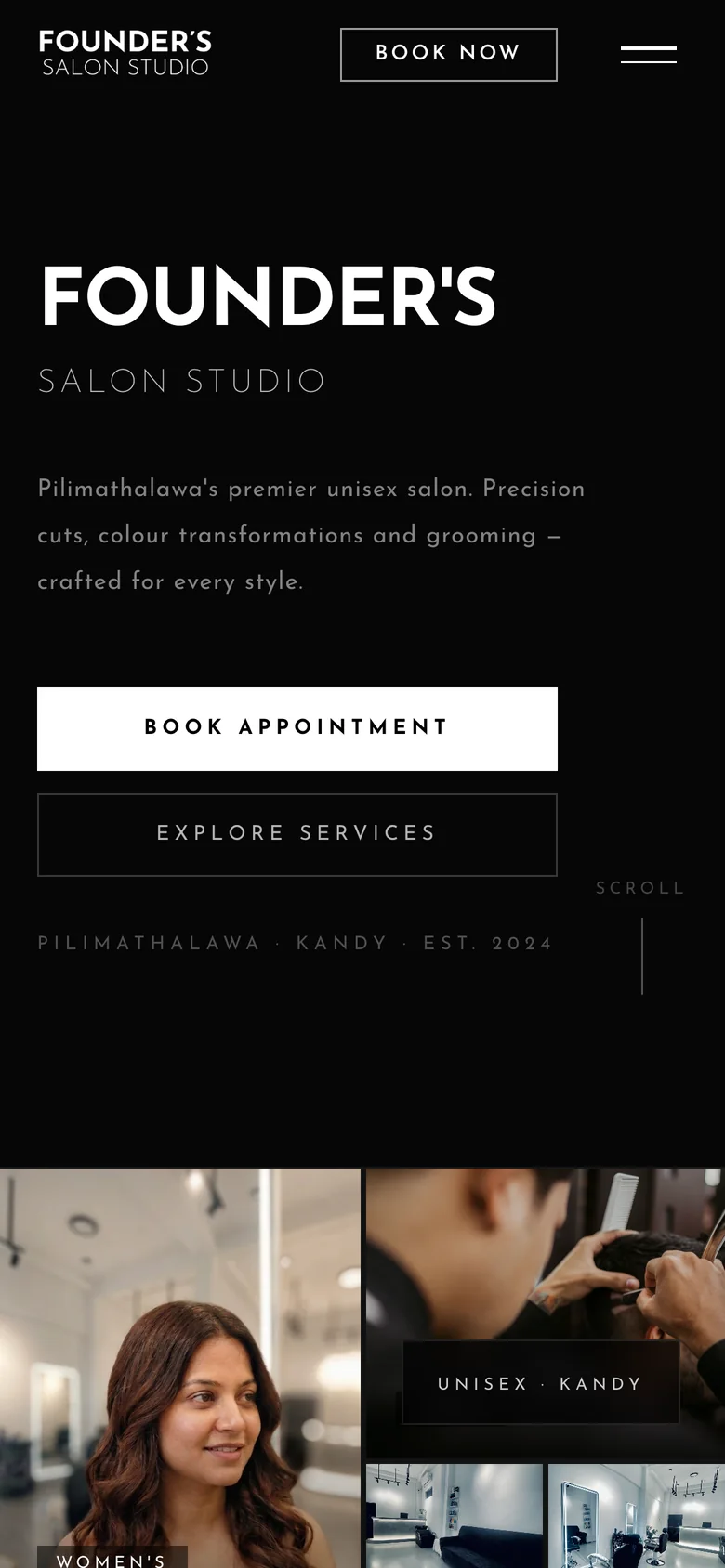
  4. The salon's public site on a phone

    04The public site

09How it was built

Designed and built by one person

  1. 01

    Requirements to release

    I gathered the requirements from the family and the stylists, designed the three interfaces, and built them. There was nobody to hand a decision to.

  2. 02

    AI-assisted development

    I built it with an AI coding assistant, directing the design and reviewing what was produced. It is how a designer ships a working product alone.

  3. 03

    Changed by real use

    Much of what is here was added after launch, from what the stylists actually needed: custom items, price changes, cancellations as their own view.