
All work

OpenHack 2.0 designathon · 2023

Cryp Chamber: every wallet in one place

A crypto wallet aggregator for phone and desktop. It brings a person's Coinbase, Binance and Metamask wallets into one view, with price alerts, goals, a market overview, an NFT store and a news feed. Designed for the OpenHack 2.0 designathon hosted by IIT Campus, Colombo.

Role
UI / UX design
Platforms
Mobile app and desktop
Type
Designathon entry
Scope
Research to hi-fi prototype
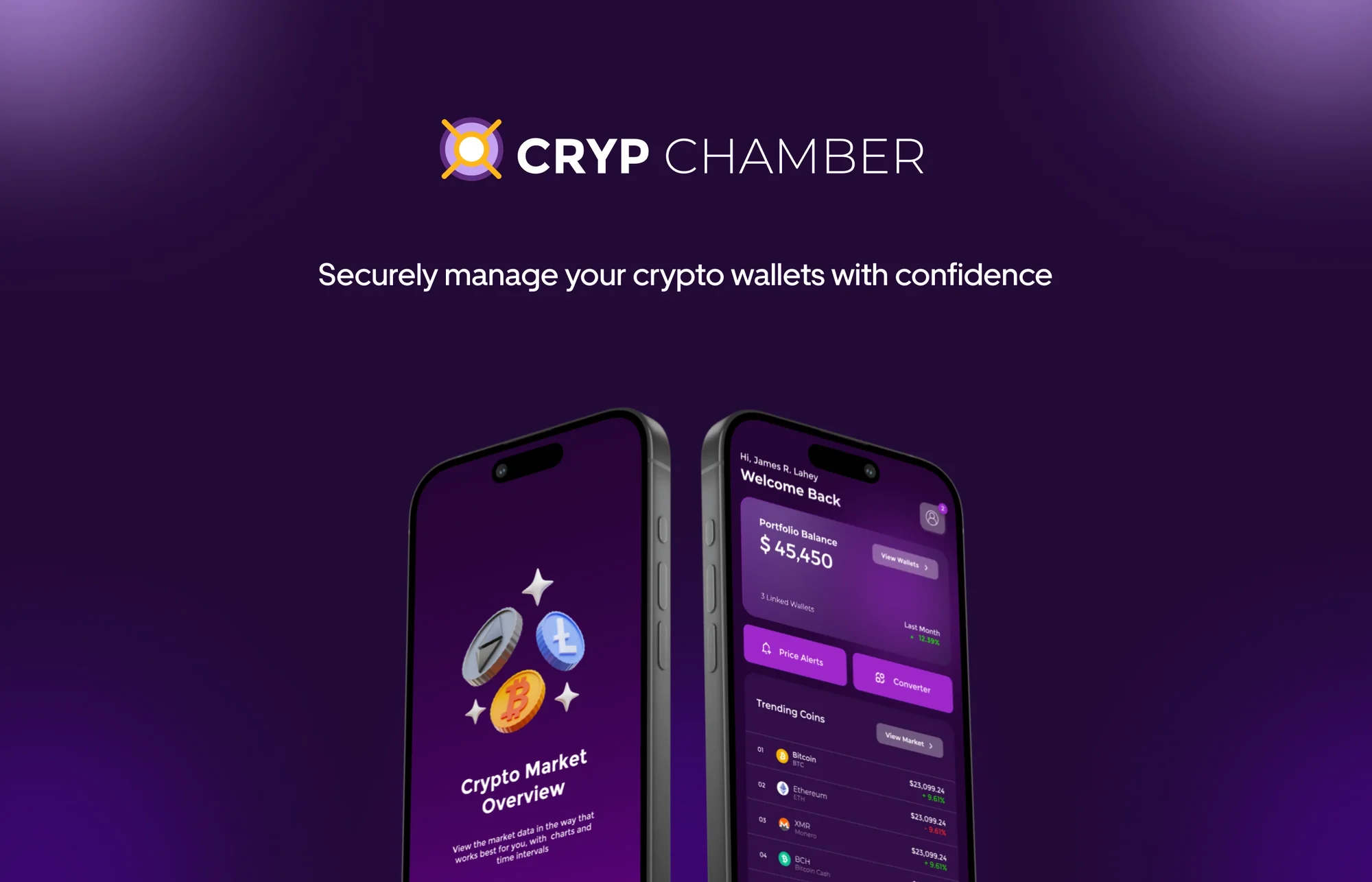
Cryp Chamber: securely manage your crypto wallets with confidence, shown on two phones

01The brief

People who hold crypto hold it in several wallets, and no single screen tells them what it is all worth.

The designathon's task was an all-encompassing crypto wallet aggregator: one product that tracks and manages diverse crypto assets, with analytics and tools personalised to the person using it.

Cryp Chamber is my answer. It shows the total worth across every linked wallet, then lets you open any one of them for the detail. The aim was to make checking your crypto as easy as checking your email.

02What it does

One home for all your crypto

  1. 01

    Total worth at a glance

    A single portfolio balance across every linked wallet, so there is no adding up between apps.

  2. 02

    Each wallet in detail

    Open Coinbase, Binance or Metamask on its own to see its balance and its history of income and expenses.

  3. 03

    Price alerts

    Set a price for a coin and get notified when it dips or climbs past it, instead of watching the chart.

  4. 04

    Goals

    Set financial targets and see how far the portfolio is from each one.

  5. 05

    Market and converter

    Compare coin prices, see the total market cap and convert between currencies without leaving the app.

  6. 06

    NFT store and news

    Browse, buy and sell NFTs with a cart and checkout, and follow the latest crypto and NFT news in one feed.

03Design process

From research to release

  1. 1

    Research

    • Personas
    • User stories
    • Competitive analysis
  2. 2

    Prototyping

    • UI flow
    • Wireframes
    • Functional prototype
  3. 3

    UI design

    • Visual concept
    • Design system
    • Components
    • App icon and banners
  4. 4

    Testing

    • User testing
    • Final corrections

04Who it is for

User personas

Michael

Crypto trader · 29

A full-time trader. His goal is to maximise profits and stay ahead of market trends.

Behaviours

  • Trades multiple times a day.
  • Follows crypto news closely.
  • Relies on technical analysis.

Needs

  • Real-time price alerts.
  • Advanced analytics.
  • An overview of all his wallets.
  • A platform fast enough to trade on.
Sarah Joe

Tech-savvy investor · 35

A software developer. Her goal is to diversify her portfolio without it affecting her full-time job.

Behaviours

  • Invests for the long term.
  • Prefers user-friendly tools.
  • Wants to be hands-off without giving up control.

Needs

  • One place for all her investments.
  • Long-term goals she can track.
  • Updates only on significant market changes.

05Style guide

Colour and type

Deep violet#260436
Purple#9F27CB
Lilac grey#A793B0
White#FFFFFF
AaMontserratBold · Medium · Light
  • Ag32px
  • Ag24px
  • Ag16px
  • Ag12px

06The work

UI flow

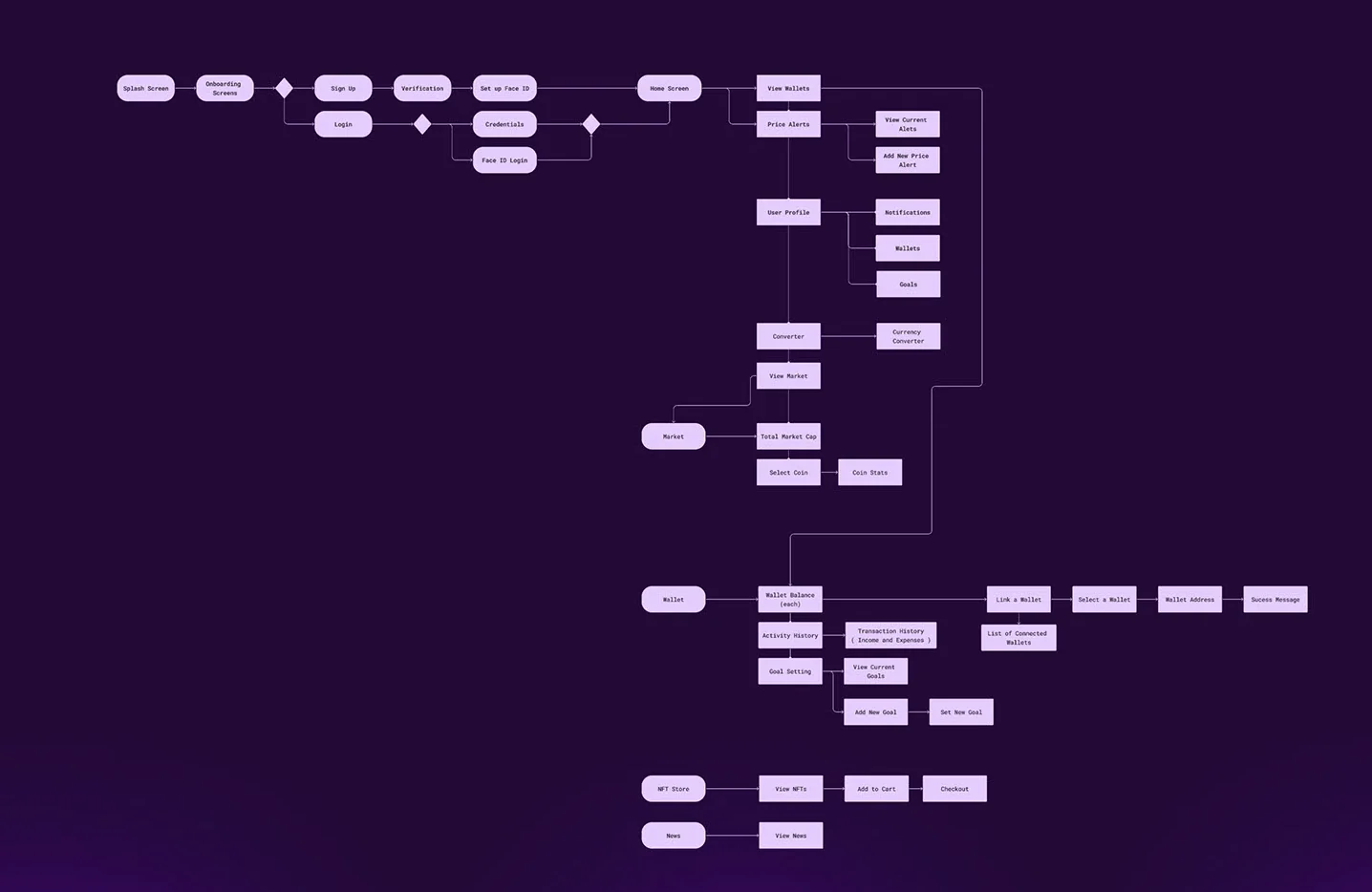
UI flow: splash, onboarding, sign-up, verification and Face ID lead to home, which branches to wallets, price alerts, the converter, the market, the NFT store with cart and checkout, and news

07The work

Components

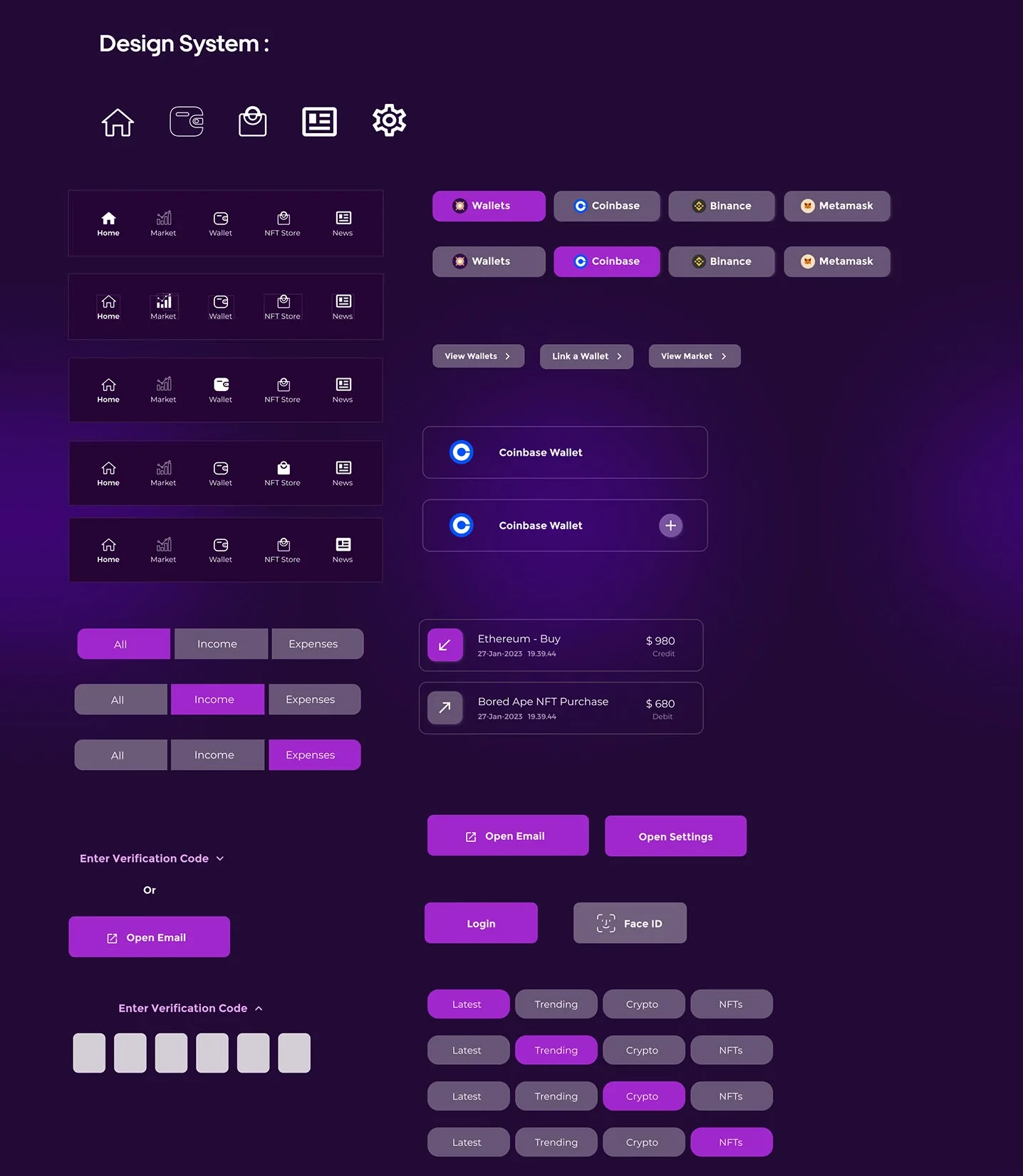
Design system components: icons, navigation bars, wallet chips, tabs, buttons and the verification code field

08The work

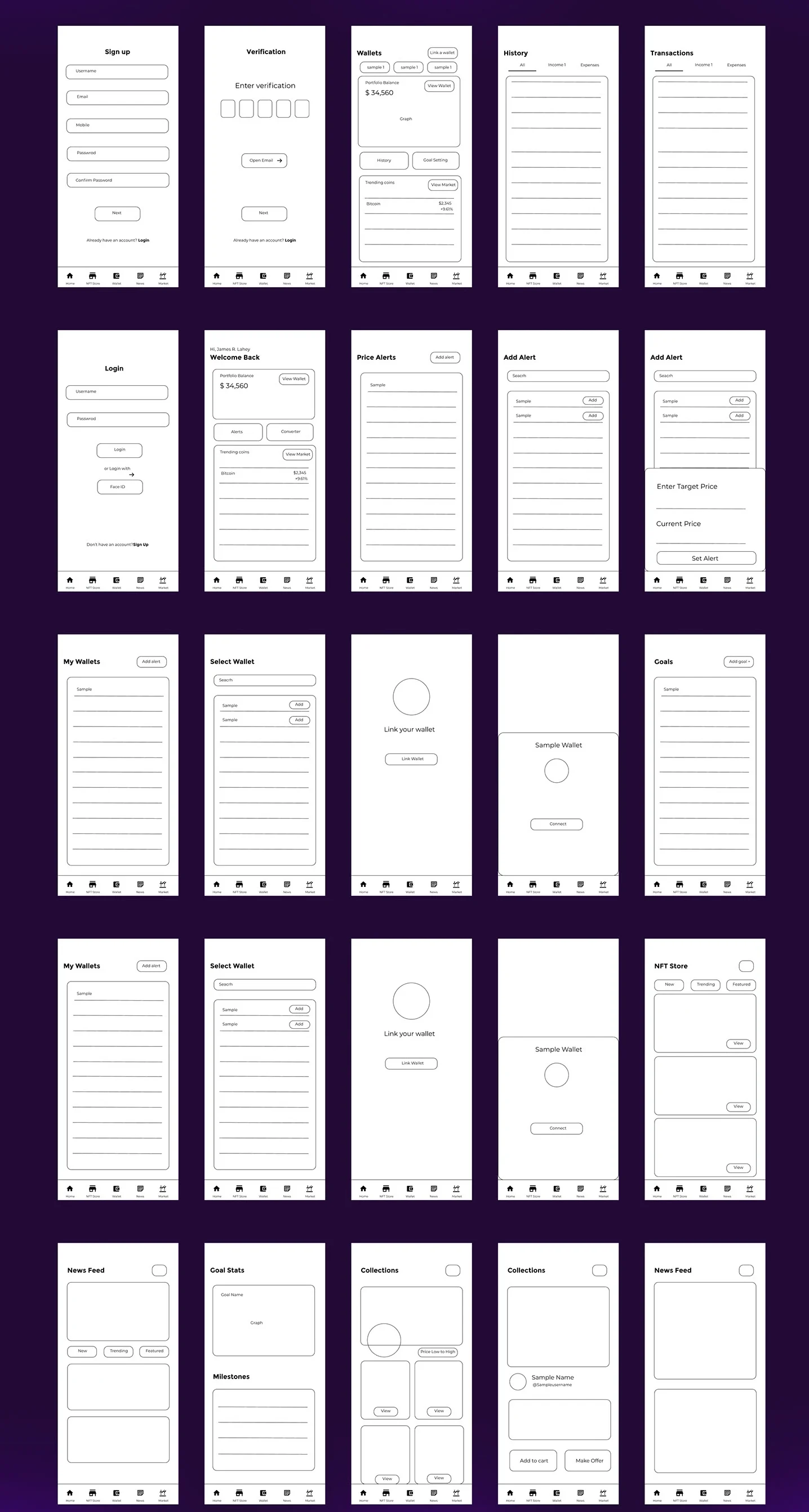
Lo-fi wireframes

Low-fidelity wireframes of the mobile screens

09The work

Hi-fi prototype: mobile

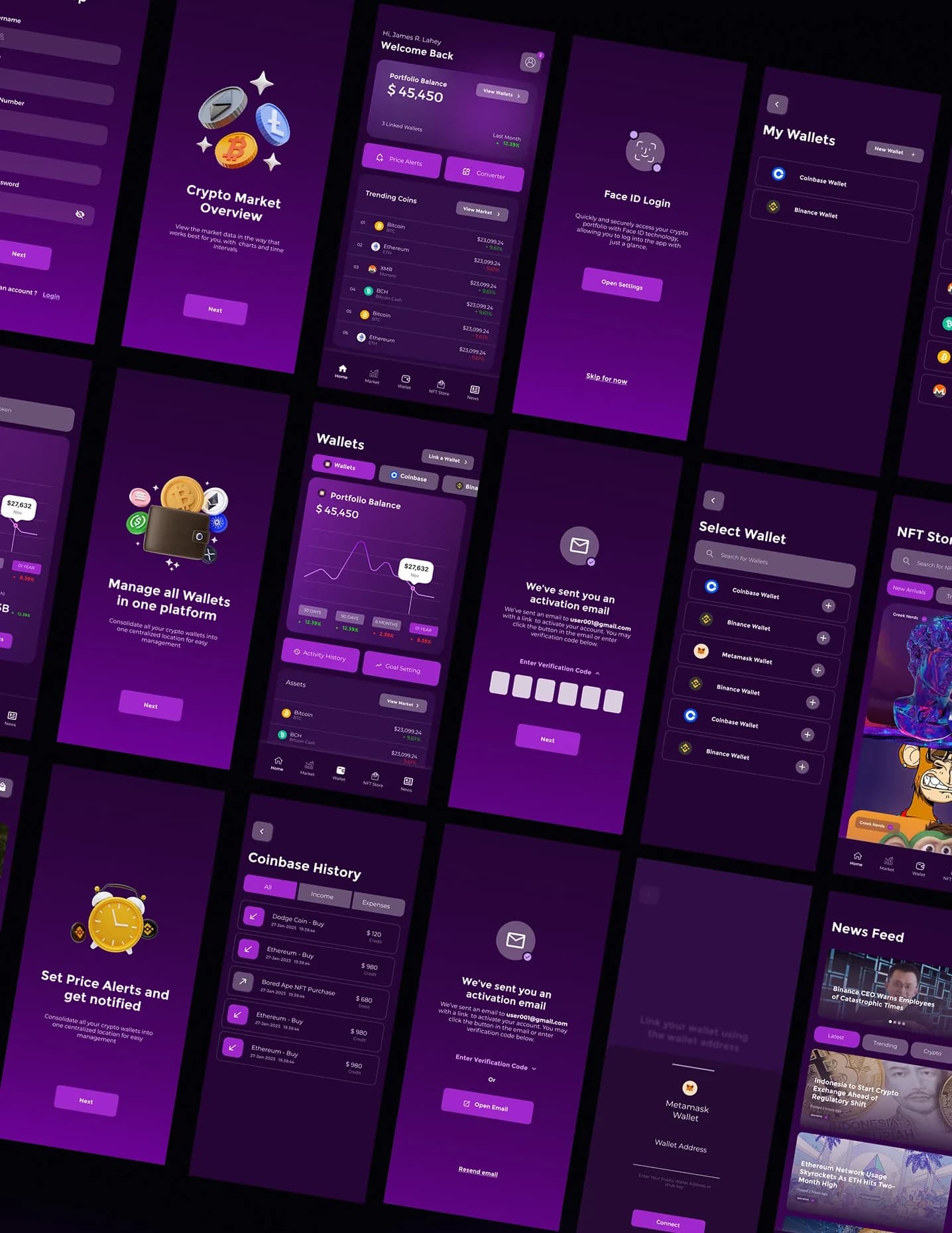
Mobile screens: onboarding, the home screen with a portfolio balance of $45,450, Face ID login, My Wallets, wallet history, the NFT store and the news feed

10The work

Hi-fi prototype: desktop

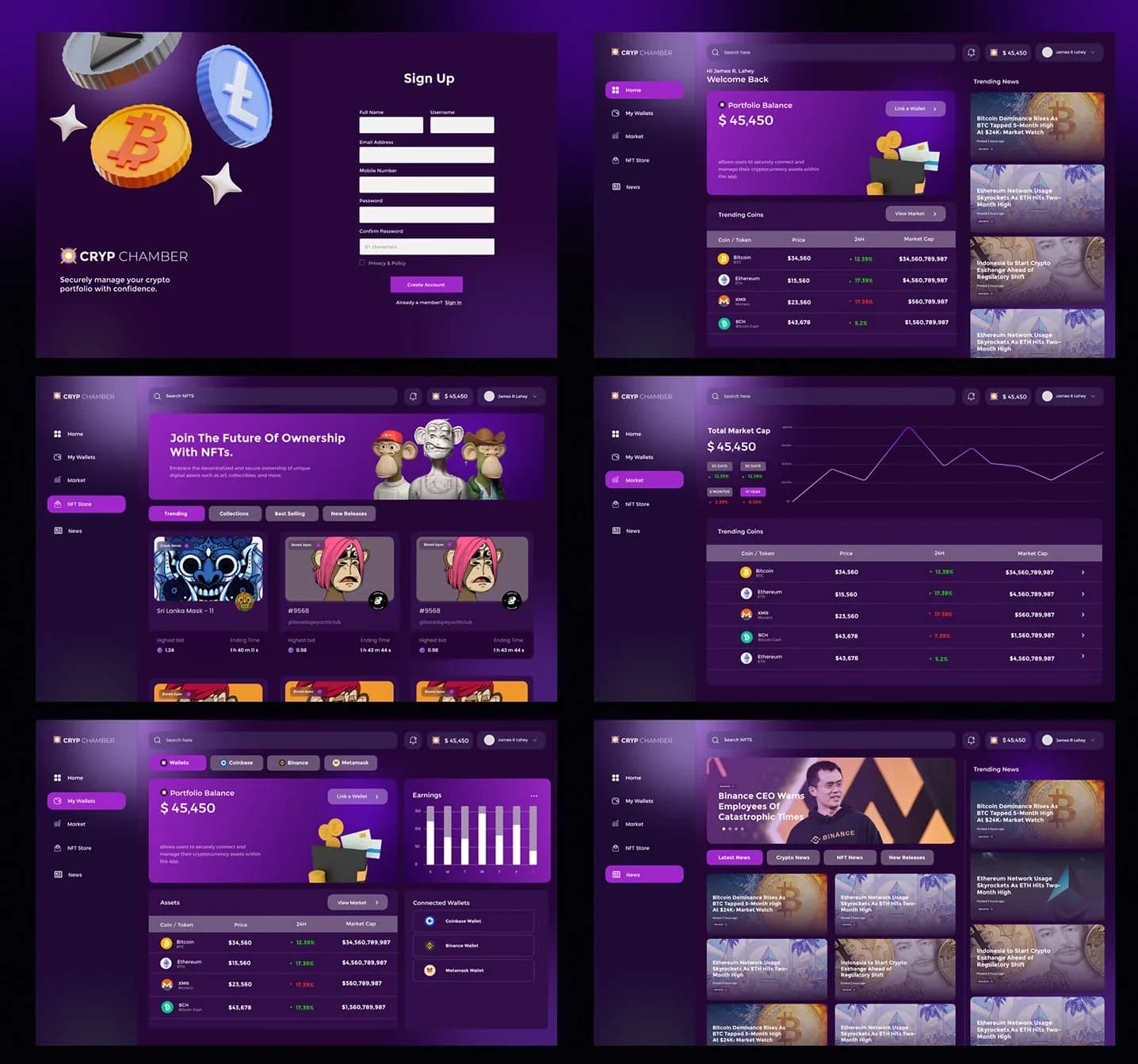
Desktop screens: sign-up, the dashboard, the NFT store, the market with total market cap, wallets with earnings, and news